

iPad and Mac
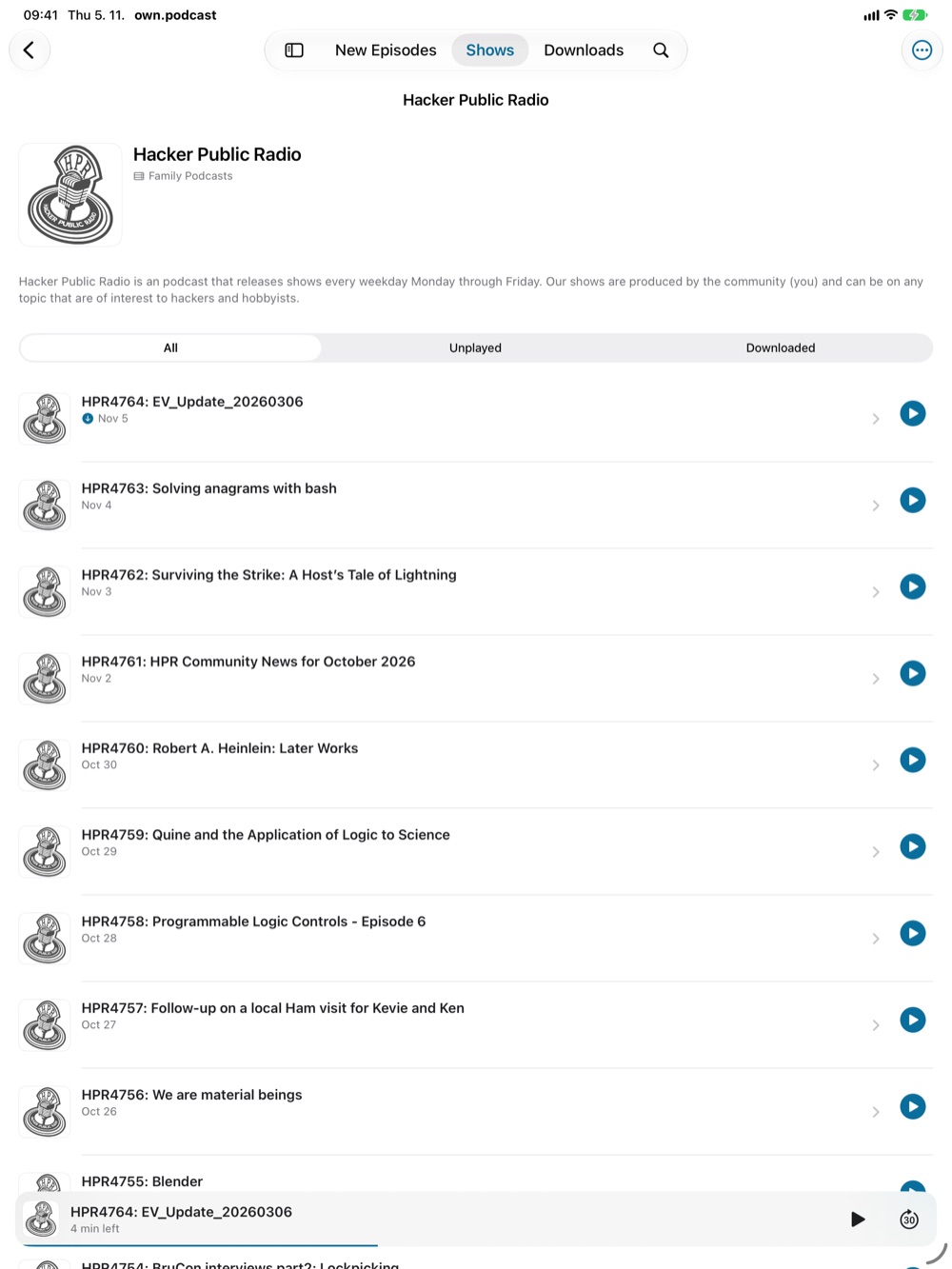
The app is the same on iPad, with the room used differently:
- The tabs, New Episodes, Shows, Downloads and the search, sit at the top. The sidebar button beside them turns them into a sidebar on the left, and back.
- The iPad works in every orientation. (The iPhone app stays upright.)
- Lists use the whole width, so long episode titles fit on one line.

With a keyboard
| Key | What it does |
|---|---|
| Space | Play or pause (not while you type in a field) |
| ⌘← | Skip back by your Skip Back interval |
| ⌘→ | Skip forward by your Skip Forward interval |
| Esc | Close the full player |
Hold ⌘ on an iPad to see them listed.
On a Mac
On a Mac with Apple silicon the iPad app runs as it is, with these differences:
- Right-click a row for the actions that are a swipe on iPhone and iPad: removing a download, signing out a device, withdrawing an invitation, removing an address.
- There is no mobile data, so On Mobile Data and Download on Wi-Fi Only are not in Settings.
- macOS doesn’t refresh the app in the background; while the app is open it checks for new episodes every 15 minutes.
- An own.audio server lists the app under Devices as a Mac.
Everything else works as described in the rest of this guide.